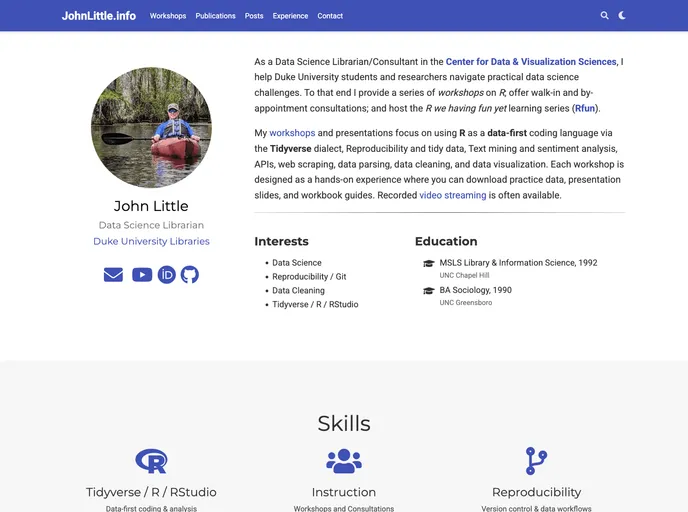
Blogdown Libjohn screenshot

Blogdown Libjohn

Author Avatar Theme by Libjohn
Updated: 24 Jul 2025
15 Stars

Using hugo academic theme and blogdown to create a personal website for libjohn. Hosted on netlify.

Overview:

This product analysis is about a web theme called “wowchemy/starter-hugo-academic”. The website is composed using Blogdown, and it is hosted on Netlify. The content for the website can be found in the gitHub.com/blogdown-libjohn/content directory, with additional content available in the config/_default, assets, medialayouts, and partials directories. This analysis will provide information on the key features, installation guide, and a summary of the article.

Features:

  • Web theme: The web theme used is “wowchemy/starter-hugo-academic”.
  • Website composition via Blogdown: The website is composed using Blogdown, a tool for creating websites with R Markdown and Hugo.
  • Web hosting via Netlify: The website is hosted on Netlify, a cloud computing company that offers web hosting and serverless backend services.
  • Edit content: The content for the website can be edited and customized according to the user’s preferences.
  • Content directory: The majority of the content for the website can be found in the gitHub.com/blogdown-libjohn/content directory.
  • Additional content locations: Other places to look for content include the config/_default, assets, medialayouts, and partials directories.

Installation:

To install the “wowchemy/starter-hugo-academic” web theme, follow the steps below:

  1. Start a new BlogPost inside the RStudio IDE by navigating to Addins > New Post.
  2. Start a new Publication in the RStudio Console.
  3. In the RStudio Console, run the following command to find the Hugo version: library(blogdown); blogdown::find_hugo().
  4. Using the Hugo version obtained from the previous step, call Hugo in the Terminal CLI using the following command: hugo new content/publication/<my-publication>.

Summary:

In summary, the “wowchemy/starter-hugo-academic” web theme is used to create a website composed via Blogdown and hosted on Netlify. The content for the website can be found in specific directories on GitHub. The installation process involves using the RStudio IDE and running commands in the RStudio console and Terminal CLI.
