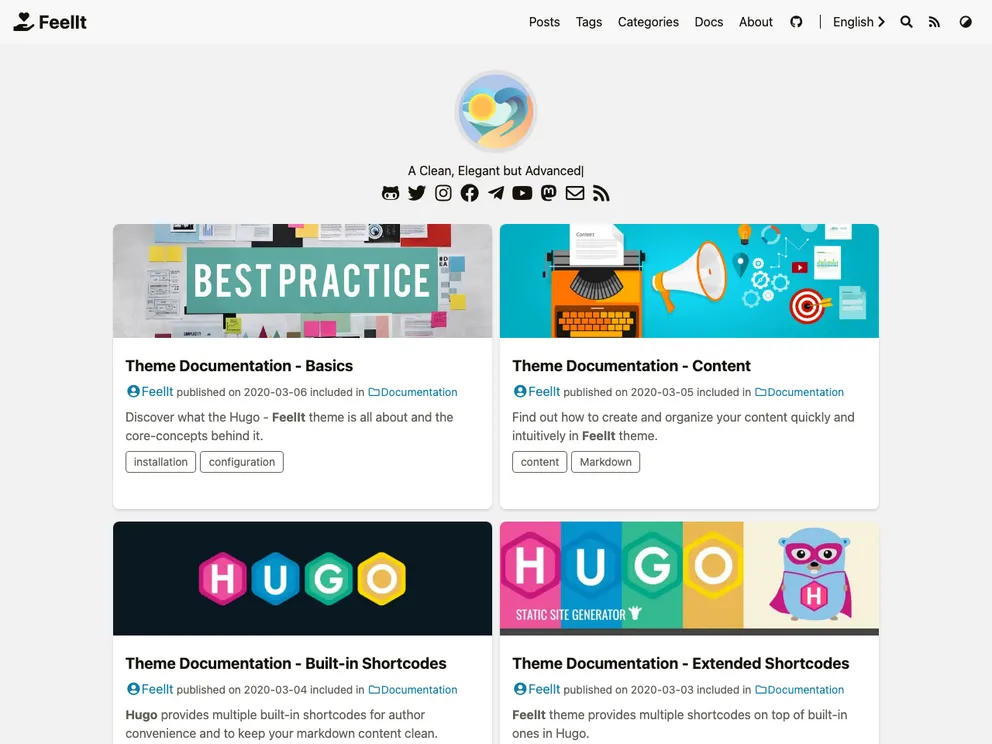
Overview:
FeelIt is a clean and elegant blog theme for Hugo, designed to provide advanced features and customization options. It is based on the LoveIt, LeaveIt, and KeepIt themes, but with several modifications and enhancements. This theme offers a beautiful design language, easy-to-use table of contents, various social and comment systems, and extended features such as search support, embedded media players, and extended Markdown syntax.
Features:
- Custom Header: FeelIt allows users to customize the header according to their preferences.
- Custom CSS Style: Users have the ability to apply custom CSS styles to further personalize their blog.
- New Home Page: A new home page design is available, compatible with the latest version of Hugo.
- Style Detail Adjustments: FeelIt includes various style adjustments, including color, font size, margins, and code preview style, to provide a visually appealing reading experience.
- Readable Dark Mode: The theme offers a more readable dark mode to accommodate users’ preferences.
- CSS Animations: Beautiful CSS animations are included to enhance the visual appeal of the blog.
- Easy-to-use Table of Contents: FeelIt provides an easy-to-use and self-expanding table of contents for better navigation within the blog.
- Social Links and Comment System: Users can integrate up to 64 social links and choose from multiple comment systems, including Gravatar, Disqus, Gitalk, Valine, Facebook, Telegram, Commento, and Utterances.
- Search Support: FeelIt supports search functionality through Lunr.js or Algolia, making it easier for users to find specific content.
- Embedded Media Players: The theme supports embedded music players using APlayer and MetingJS, as well as Bilibili videos.
- Extended Markdown Syntax: FeelIt extends the Markdown syntax to include Font Awesome icons, ruby annotations, fractions, and mathematical formulas supported by KaTeX.
- Shortcodes: The theme includes several shortcodes for admonitions, custom styles, diagram syntax, and interactive data visualization.
- CDN for Third-party Libraries: FeelIt supports content delivery network (CDN) integration for all third-party libraries, ensuring optimized performance.
Installation:
To install the FeelIt theme, follow these steps:
- In your Hugo project, navigate to the
themes directory. - Clone the FeelIt theme repository by running the following command:
git clone https://github.com/feelit/feelit
- Open your Hugo project’s configuration file (usually
config.toml or config.yaml) and add the following line to enable the FeelIt theme: - Configure the theme settings in your project’s configuration file to customize the header, CSS styles, social links, comment systems, and other options according to your preferences.
- Run your Hugo server to see the FeelIt theme in action:
Summary:
FeelIt is an advanced blog theme for Hugo, offering a clean and elegant design, along with numerous customization options. With modifications and enhancements compared to its predecessors, FeelIt provides users with a visually appealing and highly functional blog experience. From performance optimization and SEO features to social and comment system integrations, this theme caters to a wide range of user preferences and requirements. With its extended Markdown syntax, embedded media players, and support for interactive elements, FeelIt empowers bloggers to create immersive and engaging content.