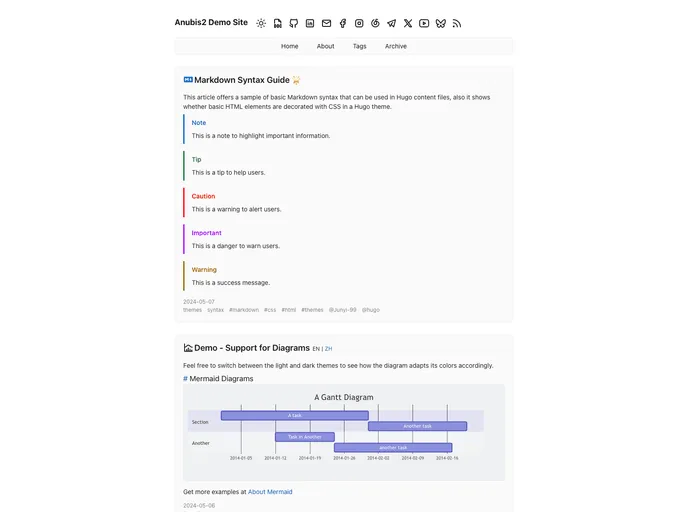
Overview
The Anubis2 theme is a simple and minimalist theme for the Hugo blog engine. It offers various features such as dark mode, pagination, multiple taxonomies and sections, table of contents, open graph and Twitter Cards support, mobile support, social icons, analytics integration, comment systems, RSS feeds, related posts, deployment via Netlify, translations, custom CSS/JS, multilingual mode, favorites posts, pagination on post single page, and optional “Read more” link.
Features
- Dark mode: Automatic or manual switch to dark mode.
- Pagination: Ability to display posts in multiple pages.
- Multiple taxonomies: Categories, tags, and authors.
- Multiple sections: Customizable sections for posts, notes, etc.
- Archive: A table of contents for easy navigation.
- Open Graph and Twitter Cards support: Integration with social media platforms.
- Mobile support: Responsive design for mobile devices.
- Social icons: Predefined icons for various social networks.
- Analytics integration: Google Analytics and Umami Analytics support.
- Comment systems: Disqus, ISSO, Utteranc.es, GraphComment, and Giscus.
- RSS feeds: Generate RSS feeds for easy subscription.
- Related posts: Display related posts in a “Read Next” section.
- Deploy via Netlify: Easy deployment using Netlify with included config.
- Hiding posts from the RSS feed: Ability to hide specific posts from the RSS feed.
- Hidden posts: Posts that are only available through a direct link.
- Translations: Support for multiple languages (en, ru, fr, pl).
- Custom CSS/JS: Ability to customize the theme with custom CSS and JavaScript.
- Multilingual mode: Support for multilingual websites.
- Robots.txt: Generate a robots.txt file for search engine crawling.
- Favorite posts: Ability to mark posts as favorites.
- Pagination on post single page: Pagination for long posts.
- Optional “Read more” link: Option to display a “Read more” link for truncated posts.
- Webmentions: Support for displaying webmentions.
Installation
To install the Anubis2 theme, you need to have an extended version of Hugo installed on your system. There are two methods to install the theme: using Hugo Module or Git Submodule.
Hugo Module (recommended)
- Initiate a Hugo module system from your project’s root directory.
- Add the following code snippet to your
config.toml or config.yaml file:
module:
  imports:
    - path: github.com/theNewDynamic/gohugo-theme-anubis2
Git Submodule
- Inside the folder of your Hugo site, run the following command:
git submodule add https://github.com/theNewDynamic/gohugo-theme-anubis2.git themes/anubis2
After installing the theme, you need to update your configuration file and start the Hugo server to see the theme in action.
Summary
The Anubis2 theme for Hugo is a minimalist theme with a range of features, including dark mode, pagination, multiple taxonomies and sections, social icons, analytics integration, and more. It supports easy installation via Hugo Module or Git Submodule and can be customized to fit different needs. With its clean design and numerous features, the Anubis2 theme is a great choice for bloggers using the Hugo blog engine.