Overview:
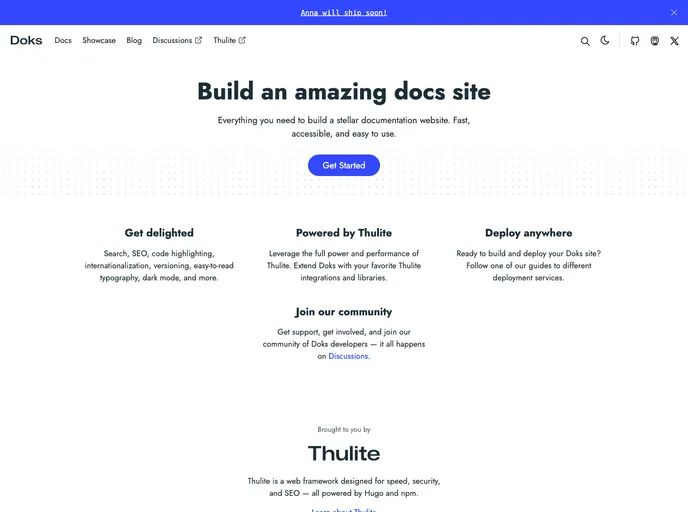
Doks is a modern documentation theme that offers a range of features to enhance the development and customization of websites. It prioritizes security, speed, and SEO-readiness, making it an ideal choice for developers looking for a reliable and efficient theme. With its support for multiple languages, versioning documentation, and additional features like math typesetting and syntax highlighting, Doks provides a comprehensive solution for creating and managing website documentation.
Features:
- Security aware: Doks ensures high security standards and provides A+ scores on Mozilla Observatory. Users can easily modify the default security headers to suit their specific needs.
- Fast by default: Doks prioritizes speed and achieves 100 scores on Google Lighthouse by default. It removes unused CSS, prefetches links, and implements lazy loading for images.
- SEO-ready: The theme includes sensible defaults for structured data, open graph, and Twitter cards, ensuring that websites adhere to SEO best practices. Users can also customize the SEO settings as desired.
- Development tools: Doks offers development tools that enable users to code with confidence. It checks styles, scripts, and markdown for errors and provides automatic or manual fixes.
- Bootstrap framework: With Doks, developers can create robust, flexible, and intuitive websites using Bootstrap 5. The theme allows easy customization through the use of source Sass files.
- Netlify-ready: Doks supports easy deployment to Netlify, with sensible defaults for functionality like Netlify Functions, Netlify Redirects, and Netlify Headers.
- Full text search: Doks incorporates FlexSearch for efficient full-text searching within the website. Users can customize the index settings and search options according to their preferences.
- Page layouts: Doks provides different page layouts, including landing page, blog, and documentation layouts. Users can add custom sections and components to personalize their websites.
- Dark mode: The theme offers a low-light UI option with a simple click. Users can also change colors using variables to match their branding.
Other additional features of Doks include multilingual and i18n support, versioning documentation support, KaTeX math typesetting, Mermaid diagrams and visualization, and highlight.js syntax highlighting.
Installation:
To get started with Doks, the following requirements should be met:
- Git: Latest source release
- Node.js: Latest LTS version or newer (npm is included with Node.js)
The installation process involves the following steps:
- Choose between the child theme and the starter theme. The child theme is suitable for novice to intermediate users and minor customizations, while the starter theme is intended for advanced users and major customizations. Updating npm packages, including Doks, is easy with both options.
- Install the dependencies.
- Start the development server.
Doks also comes with other useful commands for common tasks.
Summary:
Doks is a modern documentation theme that offers a range of features to enhance website development and customization. It prioritizes security, speed, and SEO-readiness, and provides a development-friendly environment with various tools for coding and error fixing. With its support for the Bootstrap framework and integration with Netlify, Doks simplifies the process of creating and deploying websites. Its additional features like full text search, multilingual support, and math typesetting make it a comprehensive solution for website documentation. Overall, Doks is a reliable theme that provides a seamless experience for developers and users alike.