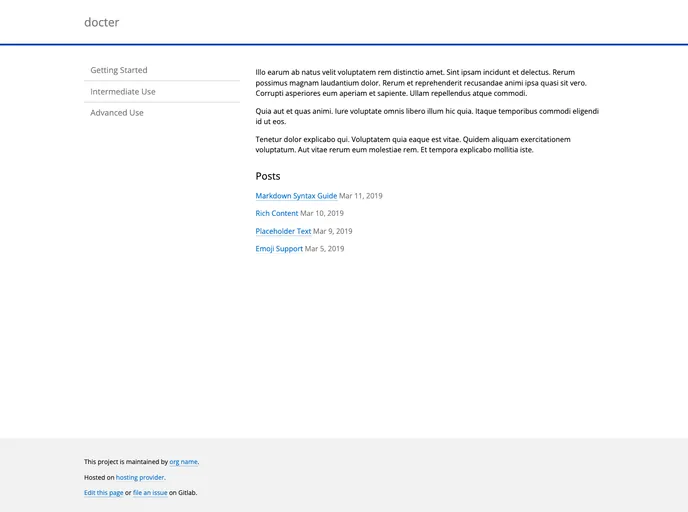
Docter screenshot

Docter

Author Avatar Theme by Edavidaja
Updated: 2 May 2020
9 Stars

Hugo port of cfpb/docter

Overview

docterDocter is a project documentation theme based on CFPB’s DOCter. It takes inspiration from 18F Guides as well. This theme requires Hugo Extended to be installed. It provides features such as automatically generating a sidebar from page content, creating blog posts in the “post” folder, and setting the website’s brand color via the config.toml file.

Features

  • Based on CFPB’s DOCter: This theme is built upon the successful project documentation theme, DOCter, developed by CFPB.
  • Inspired by 18F Guides: Taking cues from 18F Guides, this theme incorporates elements that have worked well in their project documentation.
  • Automatically generated sidebar: The theme automatically builds a sidebar from the content in the “page” folder, providing easy navigation for users.
  • Blog post functionality: Users can create blog posts in the “post” folder, with the most recent five posts being displayed on the home page.
  • Customizable brand color: The theme allows users to set the color for the website using the “brand_color” option in the config.toml file.

Installation

To install the docterDocter theme, follow these steps:

  1. Make sure Hugo Extended is installed.
  2. From the root of your Hugo site, run the following command:
    $ hugo server -t docterDocter
    
  3. The theme will be applied to your Hugo site.

Summary

docterDocter is a project documentation theme that builds upon the success of CFPB’s DOCter and draws inspiration from 18F Guides. It provides features such as automatically generating a sidebar, creating blog posts, and customizable brand colors. With a smooth installation process, this theme is a valuable tool for building comprehensive project documentation websites.
