Overview:
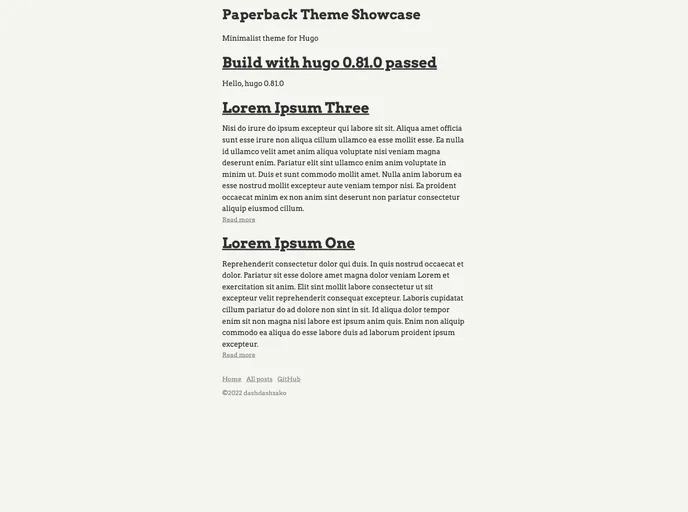
Paperback is a minimalist theme for Hugo that is designed to improve reading experience with high contrast colors and no fancy effects. It also incorporates Highlight.js for syntaxic coloration of code snippets. This theme aims to provide users with a clean and distraction-free interface for reading content.
Features:
- Minimalist Design: Paperback focuses on simplicity and clean aesthetics to enhance the reading experience.
- High Contrast Colors: The theme utilizes high contrast colors to ensure easy readability.
- No Fancy Effects: There are no unnecessary animations or fancy effects, allowing users to focus on the content without distractions.
- Highlight.js Integration: Paperback incorporates Highlight.js to provide syntaxic coloration for code snippets.
Installation:
To install the Paperback theme, please follow the steps below:
- Refer to the Hugo documentation for general instructions on installing themes.
- Download the theme files and place them in your Hugo project’s theme directory.
- Adjust the site configuration by modifying the necessary parameters in the site config file.
- To override the default highlight theme and library, follow these steps:
- Drop your customized build of the highlight library in the static/js directory of your project.
- Place the theme file in the static/css directory.
- Make sure the theme file is named ‘highlight.css’.
Summary:
Paperback is a minimalist theme for Hugo that focuses on enhancing the reading experience. It achieves this through its clean design, high contrast colors, and omission of unnecessary effects. The integration of Highlight.js further enhances the theme’s functionality by providing syntaxic coloration for code snippets. Overall, Paperback offers a simple and distraction-free interface for users to enjoy reading content.