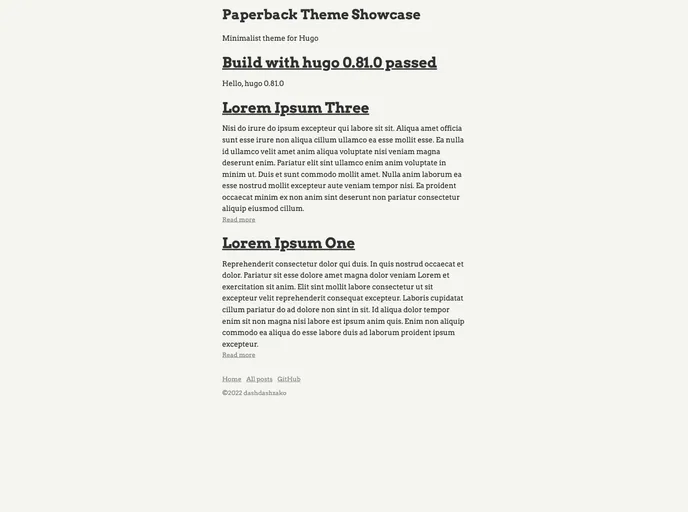
Paperback screenshot

Paperback

Author Avatar Theme by Dashdashzako
Updated: 2 Apr 2021
43 Stars

Theme for Hugo static website engine

Overview:

Paperback is a minimalist theme for Hugo that is designed to improve the reading experience. It achieves this through the use of high contrast colors and a lack of fancy effects. Additionally, the theme integrates Highlight.js for syntax highlighting of code snippets.

Features:

  • Minimalist Design: Paperback focuses on simplicity and a clean aesthetic to maximize readability.
  • High Contrast Colors: The theme utilizes high contrast colors to make the text stand out and improve readability.
  • Syntax Highlighting: Paperback integrates with Highlight.js to provide syntax highlighting for code snippets.

Installation:

To install the Paperback theme for Hugo, you can follow these steps:

  1. Refer to the Hugo documentation for detailed instructions on how to install themes.
  2. Once you have installed Hugo, navigate to the root directory of your Hugo project.
  3. Locate the “themes” directory and create a new directory called “paperback”.
  4. Download the Paperback theme files and move them into the new “paperback” directory.
  5. Open the configuration file for your Hugo site (config.toml or config.yaml) and add the following line:
    theme = "paperback"
    
  6. Save the configuration file and run the Hugo server to see the Paperback theme in action.

Summary:

Paperback is a minimalist Hugo theme that aims to enhance the reading experience by utilizing high contrast colors and a clean design. It also integrates with Highlight.js for syntax highlighting of code snippets. Installing the theme is straightforward and can be done by following the Hugo documentation. Overall, Paperback is a great choice for those who want a simplistic and visually appealing theme for their Hugo site.
