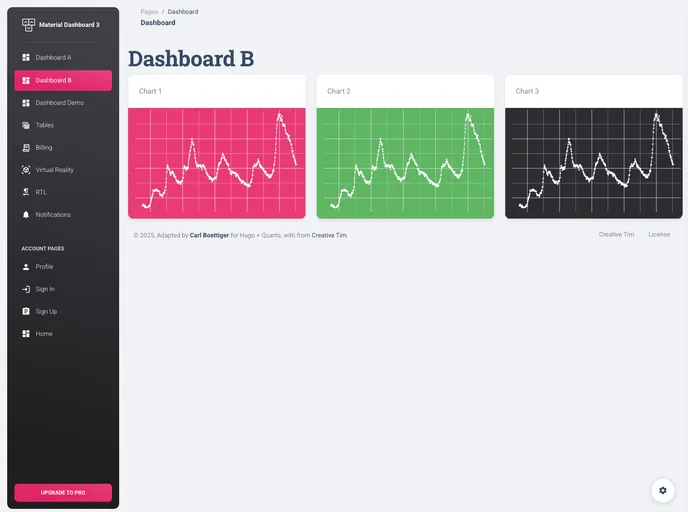
Quarto Hugo Material Dashboard screenshot

Quarto Hugo Material Dashboard

Author Avatar Theme by Cboettig
Updated: 10 Jan 2023
23 Stars

Adapting material-dashboard to Quarto and Hugo

Categories

Overview:

The article discusses the adaptation of the material-dashboard theme to Quarto and Hugo. It explains how using Hugo format allows for more control over the layout and appearance of a website. It also mentions that this approach comes with a trade-off of foregoing pre-packaged features and layouts in Quarto websites.

Features:

  • Complete control over layout and appearance: Using Hugo format with Quarto allows for more flexibility in designing the website’s look and feel.
  • Rich tooling from Hugo: By relying on Hugo’s tooling, the website can benefit from the extensive features and layouts provided by Hugo.
  • Compatibility with different programming languages: The approach can work with Python-based code examples without needing to install R, and it can also handle a mix of languages and engines.

Installation:

To install the material-dashboard theme, follow these steps:

  1. Clone the repository.
  2. Navigate to the themes/material-kit5 directory.
  3. Build the theme using assets provided by Material Dashboard 2 from Creative Tim.
  4. Ensure you have a gh-pages branch.
  5. Configure GitHub Actions.
  6. Use the quarto-dev/quarto-actions/publish@v2 to render the quarto files to the gh-pages branch.
  7. Activate a Netlify deploy to Hugo against the gh-pages branch to deploy the site.

Summary:

The article explains how to adapt the material-dashboard theme to Quarto and Hugo, enabling more control over the layout and appearance of the website. By leveraging Hugo’s tooling, the website can take advantage of the extensive features and layouts available in Hugo. The article also highlights the compatibility of this approach with different programming languages.
