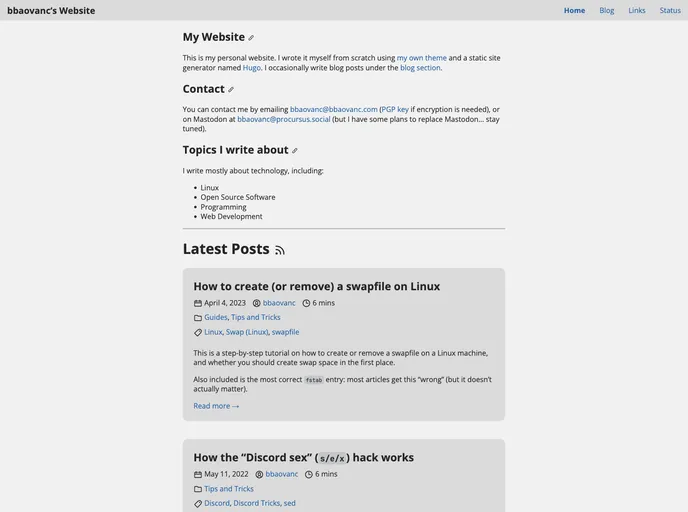
Bobatheme screenshot

Bobatheme

Author Avatar Theme by Bbaovanc
Updated: 24 Dec 2025
8 Stars

Hugo theme for boba.best and bbaovanc.com. Not meant for general use!

Overview

Bobatheme is a Hugo theme that is designed to provide all the necessary features for a website. It is highly versatile and can be used for various types of websites, including bbaovanc.com and boba.best.

Features

  • Customizable Design: Bobatheme allows users to customize the design of their website according to their preferences. It provides a range of options for layout, color schemes, and typography.
  • Responsive Layout: The theme is built with a responsive design, ensuring that the website looks great on all devices, including desktops, tablets, and mobile phones.
  • SEO Optimization: Bobatheme is designed with search engine optimization (SEO) in mind. It includes features like meta tags, optimized URLs, and image optimization to improve the website’s visibility in search engine results.

Installation

To install Bobatheme, follow these steps:

  1. Clone the Repository: Clone the Bobatheme repository to your local machine using the following command:
git clone https://github.com/bobatheme.git
  1. Navigate to the Theme Directory: Change directory to the theme directory using the following command:
cd bobatheme
  1. Copy the Theme Folder: Copy the entire contents of the bobatheme folder to the themes directory of your Hugo project.

  2. Configure Hugo: Open the config.toml file in your Hugo project and set the theme option to bobatheme.

  3. Run Hugo: Run the Hugo server using the following command:

hugo server
  1. Preview the Theme: Open your web browser and navigate to http://localhost:1313 to preview your website with Bobatheme.

Summary

Bobatheme is a versatile Hugo theme that provides all the necessary features for a website. It offers customizable design options, a responsive layout, and SEO optimization. With its easy installation process, it is a great choice for websites like bbaovanc.com and boba.best.
