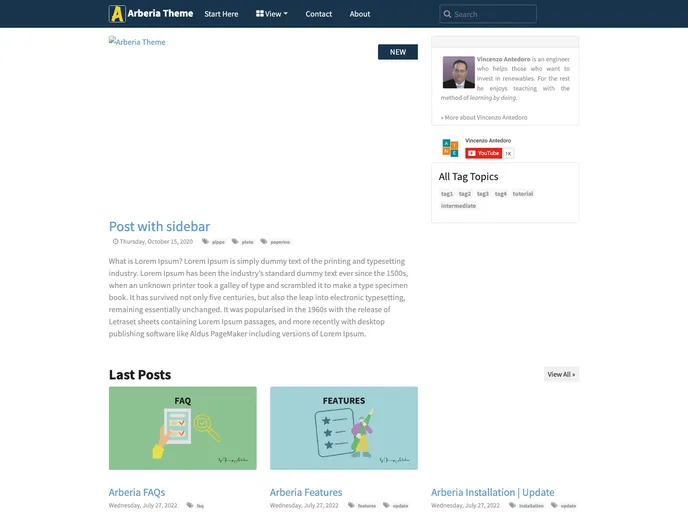
Arberia Theme is a fully responsive tech-blogger theme for Hugo with 4 single post layout!
Overview
Arberia Theme for Hugo is designed for tech bloggers and aims to add more features and customization options to the base theme. It offers a responsive layout and various post and list views. The theme also supports features like table of contents, search functionality, Google Analytics, Disqus comment system, social media share buttons, and multilingual support. Installation is simple and can be done by either downloading the theme as a zip file or adding it as a git submodule.
Features
- Responsive layout: The theme is designed to adapt to different screen sizes.
- Multiple post views: Choose from three different single post layouts including with sidebar, without sidebar, and with cover image. Additionally, there is a video post view.
- Multiple list views: Select between list posts and grid posts for your blog’s list layout.
- Landing page: The theme provides a landing page layout for showcasing important content.
- Category/Tag view: Easily navigate to posts organized by category or tag.
- Icon colored submenu: The theme offers colored submenu icons for enhanced visual appeal.
- Table of Contents: Enable a table of contents for longer posts to improve navigation.
- Search functionality: The theme supports search using the Flexsearch.js library.
- Google Analytics support: Easily integrate Google Analytics tracking into your website.
- Disqus comment system: Allow readers to leave comments on your blog posts using Disqus.
- Social Media share buttons: Enable social media sharing buttons on posts for easy content sharing.
- Multilingual support: The theme supports multiple languages for a global audience.
- Hugo’s asset generator: Utilize Hugo’s asset generator for pipelining, fingerprinting, bundling, and minification.
- Easy installation/update: Install the theme by either downloading it as a zip file or adding it as a git submodule.
Installation
To install Arberia Theme for Hugo, follow these steps:
- Ensure that Hugo is installed on your system and that you have created a new site.
- Download the theme as a zip file from the Arberia Theme GitHub page and extract it into your themes directory. Alternatively, you can add it as a git submodule using the provided command.
- Open the
config.toml file in your Hugo site’s base directory. - Set the
theme option in the config.toml file to arberia. - Save the changes and start customizing your new theme.
To update the theme installed as a git submodule, follow the instructions provided in the documentation.
Summary
Arberia Theme for Hugo is a feature-rich theme designed for tech bloggers. It offers a responsive layout, multiple post and list views, a landing page layout, and a category/tag view. The theme also includes features such as table of contents, search functionality, Google Analytics support, Disqus comment system, social media share buttons, and multilingual support. The theme is easy to install and update, making it a convenient choice for bloggers using the Hugo framework.